Updated November 12, 2026.
Use PubMed for discovery, then build a separate evidence corpus
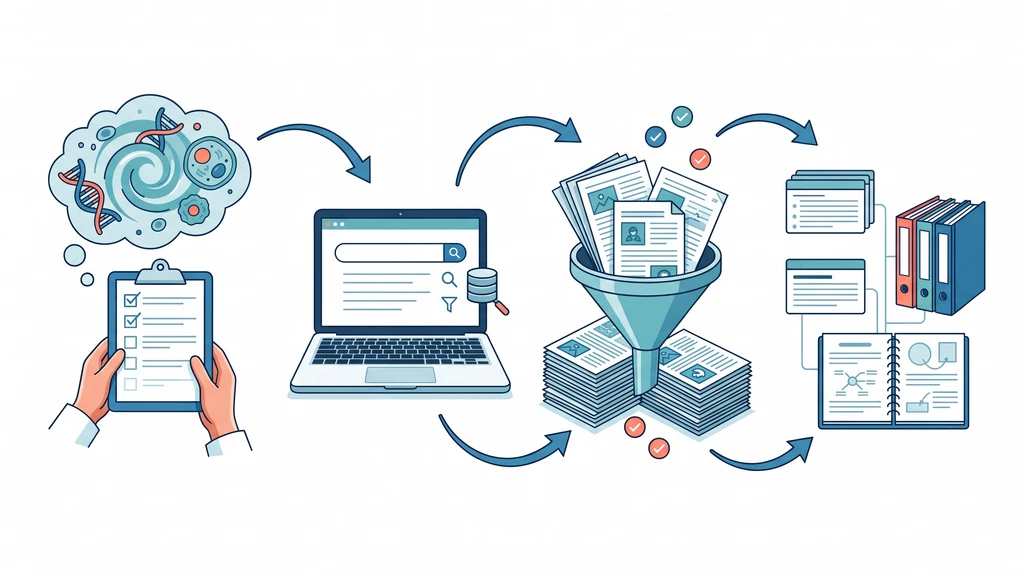
Using PubMed for a literature review means moving through four stages: define your biomedical concepts, search and screen records, collect citation metadata and available full texts, then organize the evidence so every claim in the review can be traced back to a source.
The mistake is treating a PubMed results page as the review itself. PubMed is a biomedical discovery database. It helps you find records; it does not prove your search is complete, replace a registered protocol, run expert appraisal, or manage the whole synthesis.
A durable workflow preserves the PMID, title, abstract, DOI when available, source links, search date, query version, and inclusion or exclusion decision for every selected record before those papers move into your research workspace. For broader methodology beyond PubMed-specific searching, use a full medical literature review workflow.
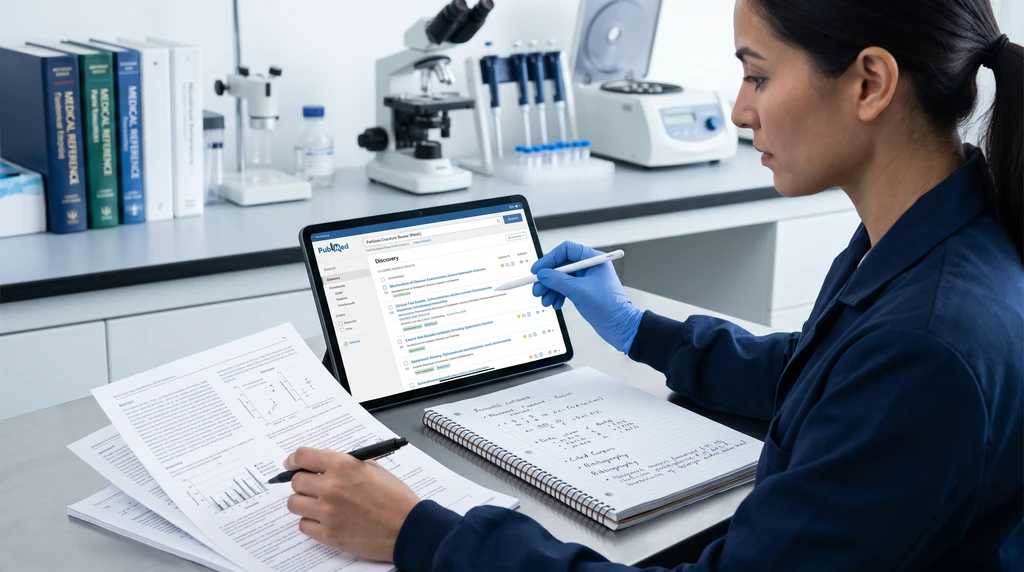
PubMed is often the right starting point because it is built for biomedical literature. The National Network of Libraries of Medicine describes PubMed as a free database with more than 40 million citations, including citation information and abstracts for biomedical and life sciences literature (NNLM). That scale is useful, but it also creates the central problem: the work is not “finding papers.” The work is narrowing a large, imperfect retrieval set into an auditable evidence base.
Think of PubMed as the front door. The review corpus is the room you build after you walk through it.
Translate a biomedical research question into PubMed concepts
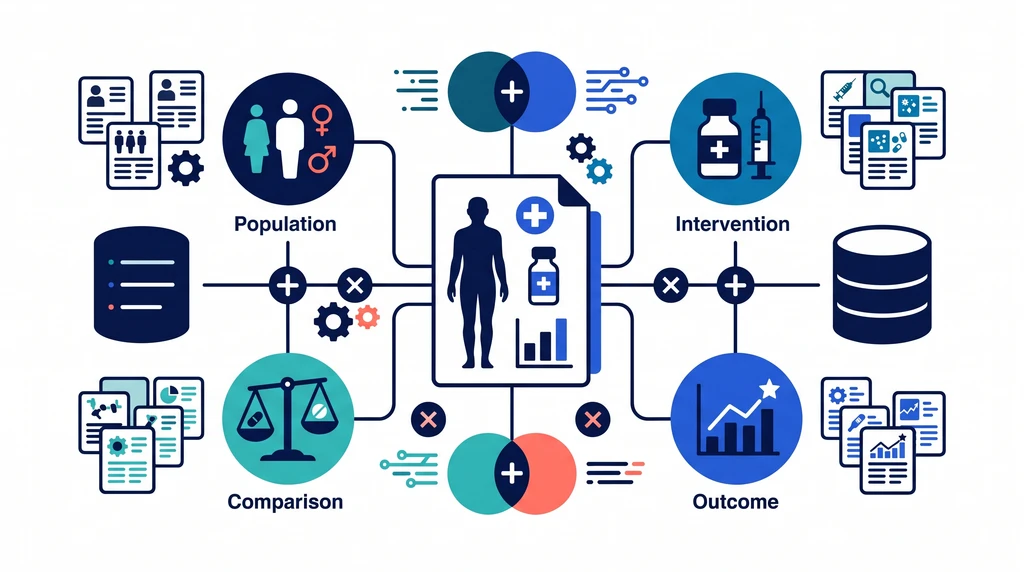
Start by converting the question into searchable concept groups. In clinical and biomedical work, that usually means some version of population, condition, intervention or exposure, comparator, outcome, and study design. PICO is a common structure for clinical questions: Patient or Problem, Intervention, Comparison, and Outcome (NIH).
Not every concept belongs in the first query. If you over-specify the search, you can hide relevant papers before screening even begins.
Use this split:
Essential retrieval concepts: the disease, population, exposure, intervention, or method that must appear for the paper to be relevant.
Screening concepts: details that matter for inclusion but may not be consistently stated in titles, abstracts, or indexing.
Extraction concepts: variables you need later, such as follow-up duration, outcome definition, effect measure, or subgroup.
For each concept, list the language authors might use. Include:
Keywords and spelling variants
Abbreviations and expanded forms
Synonyms
Older or newer terminology
Brand and generic drug names when relevant
Condition subtypes
Controlled vocabulary terms where appropriate
Study design terms, if design is part of eligibility
Stanford’s literature searching guidance gives the same basic sequence: formulate a clear question, identify primary concepts, gather synonyms, and locate subject headings (Stanford Lane Library).
Build the query with OR, AND, field tags, and MeSH
Within a concept group, connect synonyms with OR. Between different concepts, connect groups with AND. Use NOT sparingly, because it can remove relevant records when a term appears in an unexpected context.
For example, a review question about ACE inhibitors and hypertension might begin with:
("hypertension"[MeSH Terms] OR hypertension[tiab]) AND ("angiotensin-converting enzyme inhibitors"[MeSH Terms] OR ACE inhibitor[tiab])
That query does three useful things:
It combines a controlled vocabulary term with free-text language.
It searches title and abstract language with
[tiab].It uses truncation in
inhibitorto capture related word endings.
As of November 2026, PubMed Help documents search features including Boolean operators, phrase searching, wildcards or truncation, proximity searching, automatic term mapping, autocomplete suggestions, spell checking, the citation sensor, Similar Articles, and Best Match ranking. It also documents field tags such as author, journal, and date tags, plus Advanced Search functions such as field selection, author and journal autocomplete, date fields and ranges, adding terms to the query box, and Search or Add to History.
MeSH terms are valuable, but they are not magic. They depend on indexing and may not capture newer terminology, inconsistent author wording, emerging concepts, or records not yet indexed the way a mature topic would be. Pair MeSH with free-text terms when recall matters.
Use Advanced Search to inspect what PubMed is doing
PubMed’s Advanced Search is not only for complicated queries. It is a debugging tool.
Use it to:
Choose fields deliberately instead of relying on default search behavior.
Add one concept group at a time.
Test title/abstract language separately from controlled vocabulary.
Apply date ranges only when the review question justifies them.
Review search history and compare query versions.
Inspect whether the first result set is obviously too broad or too narrow.
A practical first pass might look like this:
Search the disease or condition alone.
Search the intervention or exposure alone.
Combine the two.
Add population terms only if the set is too broad or irrelevant.
Add study design terms only if design is central to eligibility.
Save the exact query, date, result count, and reason for the change.
That log is not administrative busywork. It is how you later explain why papers were found, missed, included, or excluded.
Run and inspect PubMed results without treating filters as a completeness guarantee
Begin broad enough to see the language of the field. The first results often reveal better terms: an abbreviation you forgot, a disease subtype, a trial acronym, a MeSH phrase, or an outcome label used by authors.
Then refine deliberately. Every meaningful query version should have a date and a short rationale. “Added pediatric terms after adult-only results dominated first 50 records” is useful. “Filtered until the list looked manageable” is not.
PubMed filters can help focus results by publication date, full-text availability, article type, language, species, and other criteria. Duke’s PubMed guide describes filters for article types, publication dates, species, languages, sex, subjects, and journal categories (Duke Medical Center Library). Use filters when they match the review question; do not use them only to shrink the workload.
Article-type filters are a common trap. If the review only includes randomized controlled trials, an article-type filter may be appropriate. If the field uses mixed study labels, early online records, or inconsistent indexing, the same filter can hide eligible papers. Publication-date filters have the same problem: useful for a review of recent practice, dangerous for a question where older foundational studies matter.
Sort order matters too. PubMed’s Best Match can be useful for triage because it attempts to put relevant citations near the top. PubMed’s own Help page says:
> “Best Match sort order uses a state-of-the-art machine learning algorithm to place the most relevant citations at the top of your results.”
>
> — PubMed Help
That is helpful when learning a topic. It is not a completeness test. A literature review search should not stop because the first page “looks right.”
Inspect records, not just titles
For every promising result, open the record. Capture the details needed to identify, retrieve, and later audit the source:
PMID
Title
Authors
Journal and publication details
Abstract
DOI when present
Article type
Publication date
Links to publisher or full text locations
Search query or iteration that found it
Screening decision
Reason for exclusion or hold status
Screening reasons should be specific enough to support later review. Use labels like wrong population, wrong intervention, wrong comparator, wrong outcome, wrong species, wrong study design, outside date range, duplicate, commentary only, no extractable data, or insufficient information from abstract.
This is where a general literature review becomes a traceable one. A future reader, coauthor, reviewer, or regulatory colleague should be able to reconstruct why the corpus contains the papers it contains.
Use filters as screening aids, not methodology
Filters, ranking, and Similar Articles are aids to discovery. They do not replace reference checking, additional databases, clinical expertise, or a formal systematic-review process.
For rigorous systematic reviews, a PubMed search is only one part of the method. Search strategy design, database selection, dual screening, risk-of-bias appraisal, data extraction, and reporting standards sit outside the PubMed interface. If your project has systematic-review stakes, treat PubMed as one search source, not as the whole review system.
Transfer selected records into a durable, traceable research corpus
A PubMed record, an abstract, and a full paper are three different objects.
Citation metadata identifies the work: title, authors, journal, date, volume, issue, pages, DOI, PMID, and related identifiers. An abstract summarizes the paper, often with limited methods and results detail. The complete article text is where you verify eligibility, extract methods, inspect limitations, evaluate claims, and quote or cite responsibly.
Do not treat an abstract as if it were the paper. Abstracts omit details that often determine whether a study belongs in the review: inclusion criteria, outcome definitions, attrition, subgroup handling, statistical adjustment, adverse events, and limitations.
PubMed records may link to a publisher page, PubMed Central, or another full-text location. That does not mean every result has free full text or a downloadable PDF. PubMed’s filters include full-text availability options, but access still varies by article, journal, license, institution, and publisher route (PubMed Help).
What to save from PubMed
At minimum, preserve a source inventory with:
PMID
DOI when available
Title
Authors
Journal and publication details
Abstract status
Full-text status
Publisher or full-text URL
Search date
Search string or search iteration
Screening status
Inclusion or exclusion reason
Duplicate status
Notes about corrections, errata, retractions, or linked records when relevant
Keep the original PubMed export or saved record list alongside cleaned metadata. Deduplication, renaming, and formatting changes can remove context. The uncleaned source list is often the audit trail.
PubMed’s current Help documentation is the right place to verify available save, email, download, and citation export options before building a process around them (PubMed Help). Product interfaces and export details can change; your workflow should not depend on an undocumented assumption.
Create a handoff file before deeper reading
Before moving into synthesis, make a simple handoff file or project inventory. It can live in a spreadsheet, reference manager, review platform, or research workspace, but it should answer four questions:
What is this source? PMID, DOI, title, authors, journal, date.
How did it enter the corpus? Search query, date, database, citation chasing, expert recommendation, or other route.
What is its status? Excluded, included, duplicate, awaiting full text, awaiting adjudication.
What can it support? Not your interpretation yet, but the claim type it may inform.
For recurring searches, rely on current NCBI account documentation for account-dependent saved search and alert features. Those features are useful reminders; they are not a substitute for an external project archive that contains your decisions, notes, and files.
Organize papers so studies can be compared rather than merely stored
A folder of PDFs is not a literature review corpus. It is a pile.
The corpus becomes useful when each paper is organized around shared comparison fields. For biomedical reviews, that usually means research question, population, intervention or exposure, comparator, outcome, study design, setting, date, and evidence theme.
Create a source-level note for every included paper. Separate four things:
What the authors measured
What the authors found
What limitations the authors reported
What claim the paper can responsibly support
That last line is the guardrail. A study that reports an association should not silently become a causal claim in your synthesis. A small subgroup result should not become a general statement about the population. A surrogate outcome should not become a clinical outcome unless the paper supports that interpretation.
Extract comparable fields across studies
Do not write isolated mini-summaries and hope synthesis appears later. Extract comparable fields from the beginning:
Sample or population characteristics
Inclusion and exclusion criteria
Intervention or exposure definition
Comparator definition
Outcome measure and timing
Follow-up duration
Study design
Setting
Analysis approach
Main result
Uncertainty or confidence interval when relevant
Reported limitations
Applicability to your review question
Funding or conflict notes when relevant
Evidence theme
Themes should capture relationships across the corpus, not just topics. Useful tags include consistent findings, conflicting results, subgroup differences, measurement differences, mechanistic explanations, risk-of-bias concerns, and gaps requiring further research.
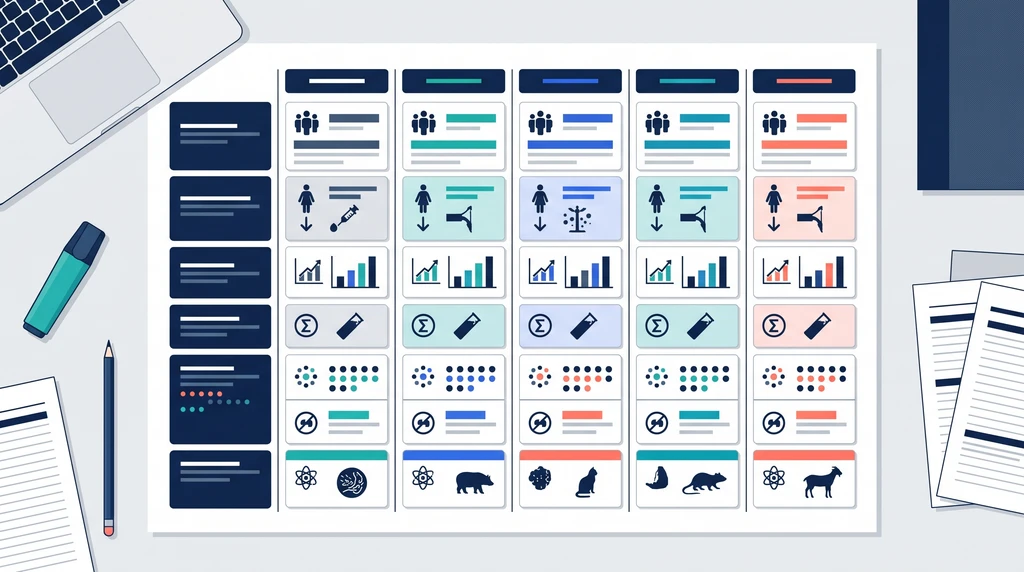
For the broader craft of synthesis, use a dedicated guide to compare sources in a literature review. In this PubMed workflow, the key point is narrower: extraction fields should be designed before drafting, so the papers can be compared on the same dimensions.
Keep extraction and interpretation separate
Extraction is what the paper says. Interpretation is what you infer after comparing papers.
Keep those layers visibly separate:
Extraction: “The authors reported lower systolic blood pressure at 12 weeks in the intervention group.”
Interpretation: “Short-term blood pressure reduction appears consistent across small trials, but outcome timing and comparator choice vary.”
Claim for draft: “Evidence suggests short-term improvement, with uncertainty about durability and generalizability.”
This separation matters most when findings conflict. If two papers disagree, the answer is not to average the abstracts in your head. Compare population, dose, comparator, endpoint, follow-up, adherence, missing data, and analysis method. Many “conflicts” are differences in design wearing the mask of contradictory findings.
Use Otio after PubMed for cited reading and multi-source synthesis
After PubMed discovery, move selected PDFs and accessible web links into Otio’s AI PDF reader while retaining PubMed identifiers and original source links in your notes or library. This is the handoff: PubMed remains the discovery database; Otio becomes the workspace for reading, asking cited questions, comparing papers, and maintaining source context.
A practical setup looks like this:
Create one project space for the review.
Add included PDFs, accessible publisher links, PubMed Central links, supplementary files, protocols, guidelines, and your source inventory.
Organize by question, population, study design, or evidence theme.
Attach source-level notes to each paper.
Ask questions across the corpus, then verify every answer against the cited passage and original paper.
Otio is useful here because literature reviews rarely stay inside one file type. A real biomedical corpus may include PDFs, web pages, trial registry records, supplementary appendices, notes, CSV extraction sheets, meeting transcripts, or guideline documents. Otio’s library can hold PDFs, documents, web links, notes, audio, video, and other research materials in one workspace.
Use cited questions that force comparison rather than summary:
Which included studies use the same primary outcome definition?
Which papers measure the outcome at 12 weeks versus 6 months or longer?
Where do findings conflict, and do the conflicts map to population differences?
Which studies use active comparators rather than placebo or usual care?
Which limitations recur across the corpus?
Which claims are supported by full-text evidence rather than abstract language?
Otio’s multiple AI models can help test alternative summaries or comparisons. Use that as a verification aid, not as evidence. If two models agree, that does not make the medical conclusion true. It means the answer is worth checking against the cited passages.
For medical teams, Otio for medical research is the relevant use case. For drug development, evidence surveillance, and related workflows, see Otio for pharmaceutical research.
The rule is simple: no uncited synthesis leaves the workspace. If a sentence in your review depends on a paper, the note behind it should lead back to the passage, the paper, and the PubMed record.
Move your selected PubMed papers into a cited research workspace with Otio.
FAQ
Q: Is PubMed alone enough for a literature review?
A: PubMed can be an important biomedical discovery source, but it is not automatically complete and may not cover every relevant discipline or source type. For rigorous reviews, define the required databases, protocol, screening process, and appraisal method before treating the search as complete.
Q: Does every PubMed result include a free PDF?
A: No. A PubMed record may link to an abstract, publisher page, PubMed Central copy, or another full-text location, but access and downloadable formats vary by article.
Q: What should I save from each PubMed paper?
A: Save the PMID, DOI when available, citation metadata, abstract, full-text link or file status, search date, and inclusion or exclusion decision. For included studies, also preserve source-level notes and the claims or passages that support your synthesis.
Q: Can Otio replace PubMed or a systematic-review platform?
A: No. Otio is useful after discovery for storing multi-format sources, asking cited questions, comparing papers, and organizing notes, but it does not replace PubMed, specialist review software, human screening, expert appraisal, or researcher verification.
Related reading
Medical literature review workflow: From Search Results to Cited Synthesis
How to Compare Sources in a Literature Review: Evidence, Themes, and Contradictions
Web of Science Literature Review: Organize Sources After Discovery
Scopus vs Web of Science for Literature Review: Which Database Fits Your Workflow?