
ChatGPT file upload limits can derail productivity when analyzing contracts, research papers, or lengthy reports. File size restrictions, unsupported formats, and attachment errors create unnecessary friction in AI document review workflows.
Seven practical solutions can resolve these upload constraints within ten minutes, restoring seamless document analysis. For those seeking a more reliable alternative, Otio functions as an AI research and writing partner built for large documents, with up to 500 uploads a day and PDFs of up to 2,000 pages on its Pro plan.
Table of Contents
Why Students and Researchers Struggle With ChatGPT File Upload Limits
The Hidden Cost of Hitting ChatGPT Upload Limits
7 Fixes for ChatGPT File Upload Limits in 10 Minutes
The 10-Minute Workflow to Handle ChatGPT Upload Limits
Handle ChatGPT Upload Limits Faster With Otio
Summary
ChatGPT accepts files up to 512 MB, and each text document can hold up to 2 million tokens. The constraint isn't just file size. It's that researchers upload entire documents when they only need specific sections, burning through capacity on references, appendices, and acknowledgments that add bulk without analytical value.
Knowledge workers already spend significant portions of their workday managing information tasks rather than analyzing content, according to IDC research. When upload limits force repeated attempts with the same file and approach, those minutes compound into hours of wasted effort that prove the constraint exists without being solved. The real cost isn't one failed upload. It's five attempts at the same document, each interrupting research flow and forcing mental reorientation.
Task switching increases cognitive load and reduces productivity, according to research by Rubinstein, Meyer, and Evans. Upload limits don't just pause work. They fragment it by forcing researchers to stop mid-analysis, switch to compression tools, lose their place in the argument they are constructing, and expend mental energy reorienting when they return. The interruption feels minor, but recovery time isn't.
ChatGPT reads many file types, but variety doesn't remove size limits: files are capped at 512 MB, spreadsheets at about 50 MB and images at 20 MB, and image-heavy PDFs or scanned documents reach those limits faster than text files. The constraint isn't just total size. It's the processing weight each individual file carries.
ChatGPT projects hold 5 files on Free, 25 on Go and Plus, and 40 on Pro, Business, Enterprise and Edu, and you can upload 10 files at a time. Our guide to ChatGPT's project limits explains what breaks in a long research project.
An AI research and writing partner like Otio addresses this by treating document handling as infrastructure rather than a constrained feature: the Go plan takes 250 uploads a day and Pro takes 500, for continuous analysis across simultaneous projects.
Why Students and Researchers Struggle With ChatGPT File Upload Limits
Students and researchers struggle with ChatGPT file upload limits because they treat AI tools like infinite workspaces when they're actually constrained systems. They upload entire PDFs, lecture notes, and research papers without preparing them first, expecting the tool to handle everything at once. This results in failed uploads, interrupted workflows, and wasted time forcing oversized files through a system with clear boundaries.
"Students and researchers struggle with ChatGPT file upload limits because they treat AI tools like infinite workspaces when they're actually constrained systems."
🎯 Key Point: Most users don't realize that AI tools have specific file size and processing limitations requiring strategic preparation before upload.
⚠️ Warning: Uploading oversized files without preparation leads to failed uploads and workflow disruptions that could be easily avoided.

They Upload Full Documents Without Reducing Them First
Most students upload full 50-page research papers without extracting the methodology section they need or removing references, appendices, and acknowledgments that consume space without adding value. Students send everything when they need only a small part.
They Expect ChatGPT to Function as a Complete Research Infrastructure
The belief seems logical: if ChatGPT can analyze documents, it should handle the entire research workflow. People upload full files, request summaries and extractions in one step, and expect the tool to manage multiple overlapping projects simultaneously. But ChatGPT wasn't designed as a research infrastructure. It's a conversational AI with upload limits that become problems when treated like a document management system. When researchers working on three simultaneous literature reviews hit daily upload limits, the workflow stops.
Chat itself isn't the bottleneck: ChatGPT's free plan limits now fall on files and tools, not on how many messages you send. Claude and Gemini set their own limits: see Claude's file upload limits and Gemini's file upload limits.
They Don't Split Documents Into Manageable Sections
Instead of breaking a 40-page report into chapters, most people upload it as a whole, without organizing it by themes or headings. The system hits the limit before reaching useful content. This isn't a file problem: it's a workflow problem. Without a method for preparing documents before upload, every large file becomes a potential failure point.
The Real Issue Isn't the Limit, It's the Lack of Preparation
When students and researchers skip preprocessing and rely on single-step analysis, they hit limits faster. Choosing relevant sections first, reducing file size, and structuring the workflow before uploading make document analysis manageable. Platforms like Otio reduce this friction with 250 uploads a day on the Go plan and 500 on Pro, treating document handling as infrastructure rather than a limited feature. But hitting the upload limit isn't just a minor inconvenience that costs only ten minutes.
Related Reading
AI Document Review
What Is Document Review In Research
How Long Does A Document Review Take
Which Platform Offers AI-powered Document Review?
How To Have Ai Review A Document
Ai Knowledge Base
Document Management Best Practices
How To Have ChatGPT Review A Document
Ai Legal Document Review
Ai Personal Knowledge Base
What Does Document Management Software Do
The Hidden Cost of Hitting ChatGPT Upload Limits
It costs you focus, momentum, and time you won't get back. Every failed upload forces you to stop mid-thought, restart your process, and rebuild context from scratch. A quick analysis turns into a long struggle with file sizes, retries, and fragmented thinking.
🚨 Warning: Upload failures don't waste technical time alone, they destroy your cognitive flow and force you to rebuild mental context from zero.
🔑 Takeaway: The real cost isn't the failed upload, it's the lost momentum and fragmented workflow that turns efficient analysis into frustration.

Why does retrying without a system multiply wasted time?
When an upload fails, most people try again immediately with the same file and approach, resizing randomly or changing formats without a plan. According to IDC research, knowledge workers already spend significant portions of their workday managing information tasks rather than analyzing it. Trying again without changing your method wastes time proving the same limit exists.
What is the real cost of failed uploads?
The real cost isn't one failed upload. It's five attempts at the same document, each interrupting your research flow and forcing you to restart your thinking. By the time the file uploads, you've lost 30 minutes and forgotten which section you needed to analyze first.
How does task switching impact research flow?
Upload limits fragment your work. You're analyzing and making connections across sources when the system rejects your next document. You stop reading, switch to file compression tools, lose your place in the argument you were building, and expend mental energy regaining focus when you return. Research by Rubinstein, Meyer & Evans shows that task switching increases cognitive load and reduces overall productivity.
What solutions eliminate workflow interruptions?
Platforms like Otio reduce this friction by treating document uploads as infrastructure rather than a limited resource. With 250 uploads a day on the Go plan and 500 on Pro, the research tool supports continuous analysis across overlapping projects.
Fragmented Document Analysis Misses Critical Connections
When you upload documents in random chunks after hitting limits, you analyze pieces without seeing the whole. You extract insights from section three before understanding the framework of section one. You miss how the methodology in one paper connects to the findings in another because you never had both loaded simultaneously.
Crossan's research on organizational learning shows that knowledge integration improves when information stays connected rather than fragmented. The cost isn't missing individual facts; it's missing the patterns that emerge only when you can see multiple sources together.
The upload limit didn't slow you down; it changed what you could discover.
Why do manual workarounds become repetitive burdens?
Without a systematic approach, every new document requires the same manual preparation: resizing files, stripping formatting, converting PDFs, rebuilding workarounds. According to research from Nielsen Norman Group, repeated manual workflows create unnecessary friction that compounds over time. A single task takes five minutes. Doing it 20 times across a literature review takes nearly two hours of work that adds no analytical value.
How can you eliminate repetitive document preparation?
The problem isn't the difficulty; it's solving the same problem repeatedly instead of building a system that handles it once. Each repetition costs time you could spend reading, understanding, or writing rather than dealing with file format problems. Fixing it requires specific methods that work in minutes, not hours.
Related Reading
Legal Document Management
Chat With Documents
Chatgpt Token Limit
Ai Document Extraction
How Many Questions Can I Ask ChatGPT for Free
Ai Document Analysis
Best Way To Switch Between Ai Model Providers
7 Fixes for ChatGPT File Upload Limits in 10 Minutes
Stop uploading raw, oversized documents. Prepare, split, and organize your files before sending them to ChatGPT. These steps help you avoid limits, reduce retries, and maintain workflow efficiency.

🎯 Key Point: File preparation is the most critical step for avoiding upload failures and size restrictions in ChatGPT.
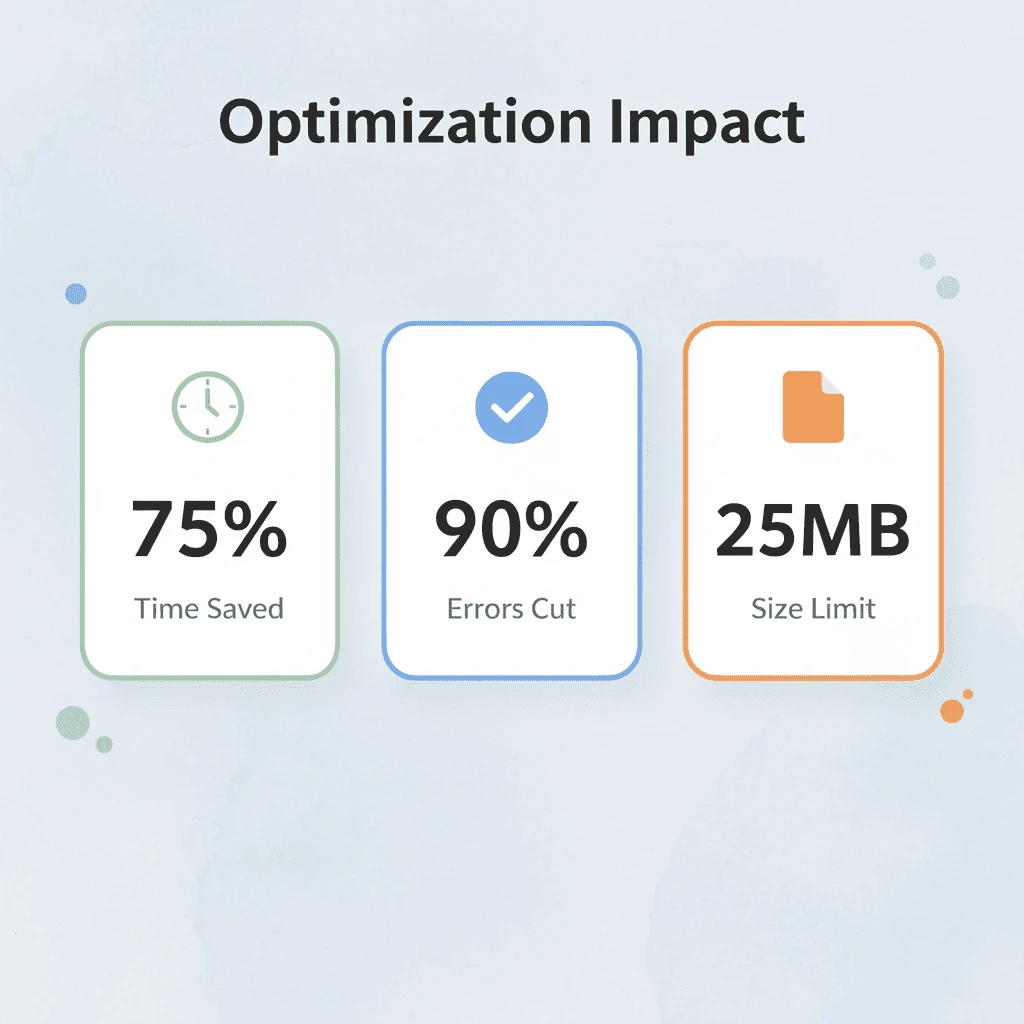
Fix Method
Time Required
File splitting
2-3 minutes
Format optimization
1-2 minutes
Size compression
3-5 minutes
Content preprocessing
2-4 minutes
⚠️ Warning: ChatGPT's limits are 512 MB per file, 2 million tokens per document, about 50 MB per spreadsheet and 20 MB per image. Split or trim files that go past those.

1. Otio
An AI workspace that processes large documents before you use them elsewhere. Upload a research paper and ask: "Summarize this into key sections." Otio transforms large files into smaller, organized outputs that are easier to upload and analyze later. Upload your document to Otio, generate summaries or sections, then use the smaller outputs instead of the full file. This approach works because you send prepared content rather than forcing the system to process everything at once.
2. Split Documents Into Smaller Parts
Breaking large documents into smaller sections keeps each piece within upload limits. Split a 50-page paper into sections like introduction, method, and results. Since limits apply per file rather than across all sections, dividing by headings lets you upload in parts and analyze step by step. ChatGPT's file upload limit is 512 MB per file. Image-heavy PDFs and scanned documents consume space faster than text files, making this limit significant for how much you can process in each file.
3. Remove Unnecessary Sections Before Upload
Making files smaller by keeping only important content speeds up uploads and improves reliability. Remove references, appendices, or repeated sections that don't support your analysis. Identify the key sections and keep only what is relevant to your specific task. A 40-page document with 15 pages of citations doesn't need all 40 pages uploaded when you're analyzing methodology.
4. Convert Files to Simpler Formats
Changing files to lighter formats reduces system workload. Remove heavy formatting and embedded elements from PDFs and Word documents by converting them to text. Text-based files are easier for AI to process because they contain fewer elements requiring computational interpretation. Use conversion tools to create text versions and remove complex formatting. Your content remains unchanged while technical overhead decreases.
5. Compress Files Before Upload
Reducing file size using compression tools keeps files within upload limits by removing unnecessary data. Compress PDFs to reduce file size without losing important content. Use compression tools to reduce file size, then upload the optimized version.
6. Trim Files Before You Share Them From the Cloud
Cloud links don't lift ChatGPT's limits: whatever ChatGPT reads still has to fit them. Trim or split the file first, then share it in whichever way is quickest.
7. Reuse a Preprocessing System
Using the same method to prepare documents every time reduces repeated effort and builds consistency. Split, clean, and format files before upload so you're not starting from scratch with each new document. When researchers working across multiple overlapping projects hit daily upload limits, the workflow stops entirely, breaking the momentum that keeps complex analysis moving forward.
How does manual document preparation create problems
Most teams manage document preparation by hand because it feels like they have control. As the number of documents grows and projects overlap, manual splitting spreads work across folders, formatting becomes inconsistent, and preparation time stretches from minutes to hours per project. Platforms like Otio treat document handling as research infrastructure rather than a limited feature, offering 250 uploads a day on the Go plan and 500 on Pro, for continuous analysis across simultaneous projects.
What happens when you apply fixes before hitting limits
Apply these fixes before hitting the limit. Preparation makes the difference between smooth analysis and repeated failure. But fixing upload limits only solves half the problem without a clear workflow for what comes next.
The 10-Minute Workflow to Handle ChatGPT Upload Limits
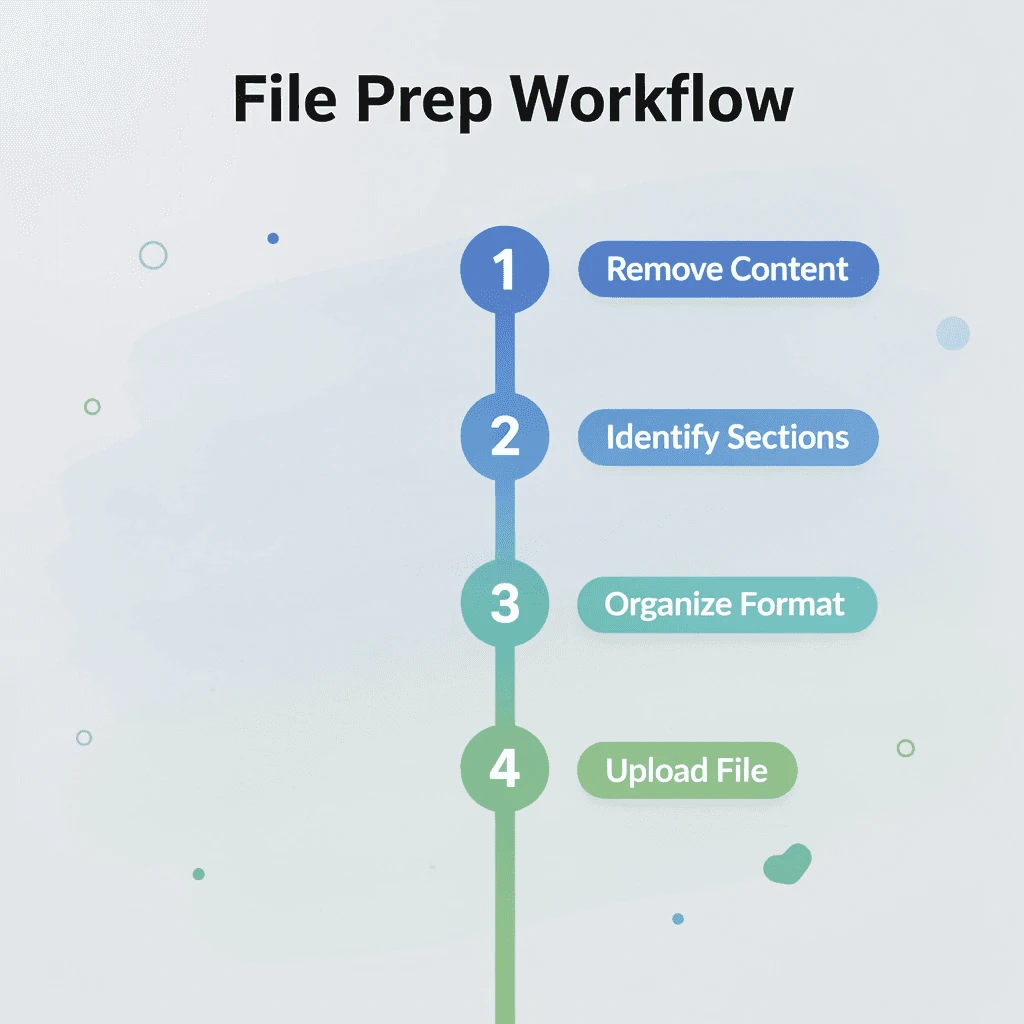
Handle ChatGPT upload limits in 10 minutes by preparing your files first, rather than uploading entire documents. Remove unnecessary content, identify what you need, and organize it before uploading.
🎯 Key Point: The secret to beating upload limits isn't finding workarounds; it's strategic preparation that saves you time and frustration.

Step
Action
Time Required
1
Decide what you need and remove the rest
3 minutes
2
Split the file into smaller sections
2 minutes
3
Convert it into a simpler format
2 minutes
4
Upload one part at a time and save the process
3 minutes
⚠️ Warning: Retrying an oversized upload costs more time than a few minutes of preparation.
Decide What You Actually Need From the File
Before uploading anything, define your exact goal, such as a summary, key insights, one section explained, or data extracted. Unclear goals lead to uploading more content than necessary, increasing the risk of hitting limits. When you know what you need, strip everything else. A 60-page report might contain three pages of relevant findings. Uploading all 60 pages wastes tokens and creates friction that preparation eliminates.
Remove the Parts You Don't Need
Make the document smaller before uploading it. Remove references, appendices, repeated pages, unnecessary sections, extra images, or formatting that inflates file size without adding useful information. Removing unnecessary content makes files smaller and keeps your analysis focused on what matters, rather than being spread across irrelevant material.
Split the File Into Smaller Sections
Break the document into logical parts such as introduction, methods, results, and conclusion, or divide it into chapters. Smaller files are easier to upload and analyze, and splitting keeps your workflow clear. Dividing a 40-page document into four 10-page sections keeps each upload within limits and lets you analyze pieces sequentially, building understanding step by step.
Convert the File Into a Simpler Format
If the file is heavy or poorly formatted, simplify it. Convert PDFs to text, remove complex formatting, save it as a lighter document type, or retain only clean, readable content. Simple formats ease uploads and reduce problems. Text-based files use fewer technical resources than PDFs with embedded images, layered formatting, or scanned pages. This change alone can turn a failed upload into a successful one.
Upload and Analyze One Part at a Time
Upload only the section you need first. Ask a focused question, get the result, then move to the next section. Combine the outputs later, rather than processing everything at once. This approach prevents system overload and produces more consistent answers. Working one section at a time also lets you refine your questions based on what you learn from each section before moving forward.
Save the Process for the Next File
Once it works, save the prompt, sectioning method, cleanup process, and file format. The goal is to avoid rebuilding the solution each time. Documenting your workflow means the next large file takes minutes instead of trial and error. You follow a proven sequence instead of improvising under pressure, transforming occasional success into reliable results.
What results can you expect in 10 minutes?
With this workflow, you get fewer failed uploads, smaller and cleaner files, faster document analysis, and a repeatable system. The shift moves from upload, fail, retry, adjust to define, reduce, split, simplify, and upload.
Why doesn't manual preparation scale effectively?
Preparing documents by hand feels controlled, but it doesn't scale. As you accumulate documents and juggle multiple projects, manual work scatters files across folders, creates inconsistent formatting, and stretches preparation time from minutes to hours per project. Platforms like Otio treat document handling as research infrastructure rather than a constrained feature, offering 250 uploads a day on the Go plan and 500 on Pro, for continuous analysis across simultaneous projects. Managing files by hand creates problems when working on multiple research projects simultaneously.
Handle ChatGPT Upload Limits Faster With Otio
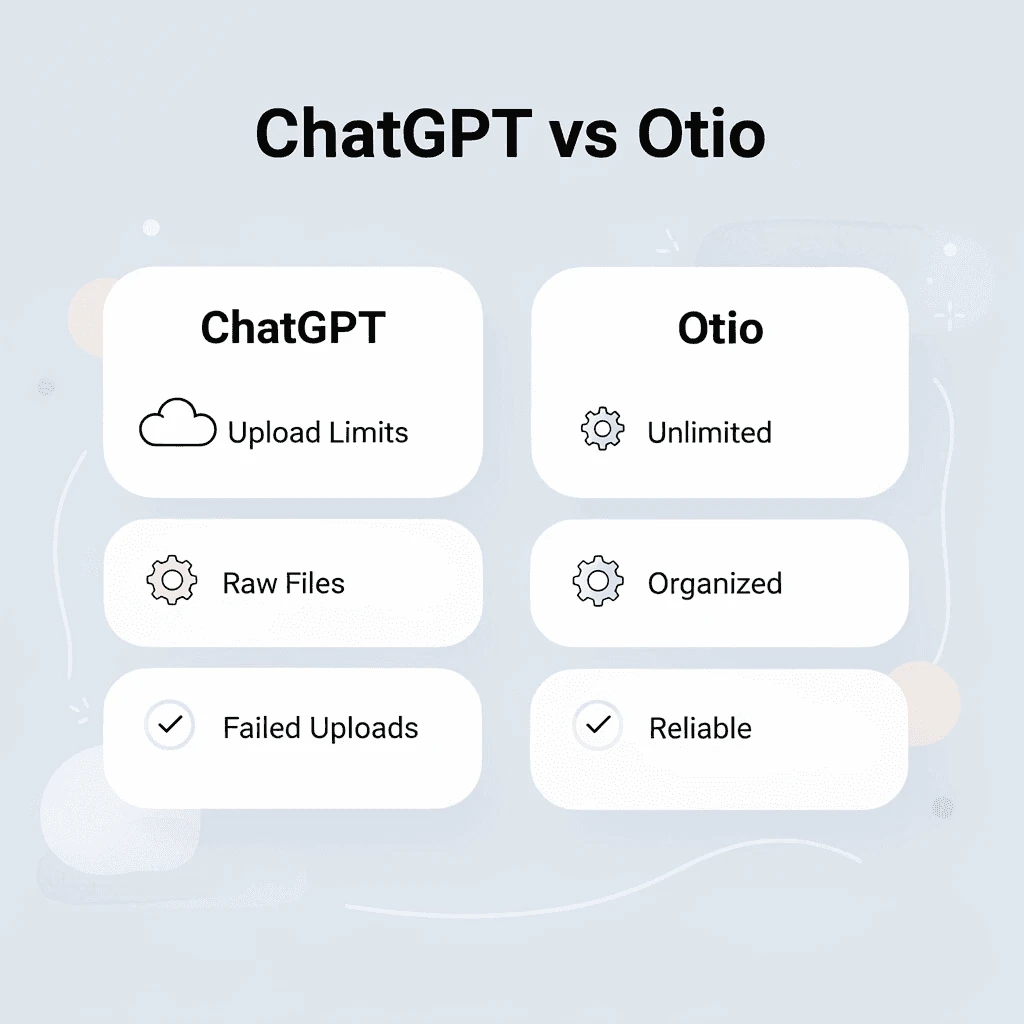
The problem isn't ChatGPT, it's uploading unprepared documents. When you open Otio, upload your file, and ask it to break the document into smaller sections or pull out key insights, you get organized output in under 10 minutes. No failed uploads, no repeated retries, no manual splitting for each new project.
🎯 Key Point: The real bottleneck isn't AI capability, it's how you prepare and structure your documents before upload.

Better workflows come from treating document handling as infrastructure. Platforms like Otio function as research partners rather than limited tools, with 250 uploads a day on the Go plan and 500 on Pro. That capacity supports continuous analysis across simultaneous projects without workflow interruptions.
Plan
Uploads
Best for
Lite
50 a day, PDFs up to 500 pages
Getting started with AI research
Go
250 a day, PDFs up to 1,000 pages
A full AI research assistant
Pro
500 a day, PDFs up to 2,000 pages
Heavy, parallel research
Upload your document, ask for the organized breakdown you need, and save the output. You're pulling insights immediately, working with prepared content rather than raw files, and building a system that scales with your research load rather than falling apart under it.
💡 Tip: Save your organized breakdowns as templates. This turns every processed document into a reusable workflow for future projects.
Related Reading
Best Hr Document Management Software
Top Ai Tools For Document Review
Notebooklm Alternatives
Best Automation Tools For Document Management
Best Document Management Software For Small Businesses
ChatGPT File Upload Limits
Legal Document Data Extraction
Best Ai Tools For Research Projects
Best Document Management Software
Notebooklm Limits
Ai Tools To Summarize a Research Paper
Claude Ai File Upload Limits
Notebooklm Vs Notion
Best Document Management Software For Law Firms